WordPress & Web Tools

Learn WordPress, website builders, SEO tools, plugins, themes, and productivity tools to create faster, smarter, and more successful websites.

How to Add a Custom Logo to Your WordPress Website

A logo is one of the most recognizable elements of a website’s visual identity. It helps visitors identify your business and creates consistency across your website, social media profiles, marketing materials, and other digital platforms. WordPress makes it relatively easy to add a custom logo, but choosing the right file, size, format, and placement can

How to Add a Custom Logo to Your WordPress Website Read More »

How to Add Google Analytics to WordPress: A Beginner’s Guide

Understanding how visitors interact with your website can help you make better decisions about your content, design, and marketing strategy. Google Analytics is one of the tools website owners can use to collect information about website traffic and user behavior. When connected correctly to WordPress, it can help you understand where visitors come from, which

How to Add Google Analytics to WordPress: A Beginner’s Guide Read More »

How to Choose the Best WordPress Page Builder for Your Website

Building a WordPress website doesn’t always require coding skills. Page builders make it possible to create layouts, pages, sections, and visual designs using a more intuitive editing interface. However, there are many page builders available, and choosing the right one can be confusing. The best WordPress page builder depends on your website type, design requirements,

How to Choose the Best WordPress Page Builder for Your Website Read More »

How to Create a WordPress Backup and Restore Your Website

A WordPress website can represent hours or even years of work. Your pages, blog posts, images, settings, customer information, and other content can be difficult to replace if something goes wrong. That’s why having a reliable WordPress backup and restore strategy is essential. A backup gives you a copy of your website that can potentially

How to Create a WordPress Backup and Restore Your Website Read More »

How to Speed Up a WordPress Website: Practical Tips for Beginners

How to Speed Up a WordPress Website: Practical Tips for Beginners Website speed is an important part of creating a good online experience. Visitors expect pages to load quickly, and a slow website can make people leave before they finish reading or completing an action. The good news is that you don’t always need expensive

How to Speed Up a WordPress Website: Practical Tips for Beginners Read More »

How to Secure Your WordPress Website: A Beginner’s Guide

WordPress makes it possible to build a professional website without being an advanced developer. However, creating a website is only the beginning. Protecting it from unauthorized access, malware, data loss, and other security problems is equally important. The good news is that you don’t need to be a cybersecurity expert to improve your WordPress security.

How to Secure Your WordPress Website: A Beginner’s Guide Read More »

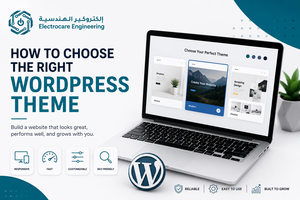
How to Choose the Right WordPress Theme for Your Website

Choosing the right WordPress theme is an important step when building a website. Your theme affects how your website looks, how visitors navigate it, and how easily you can customize your pages. With thousands of WordPress themes available, beginners can easily become overwhelmed by the choices. The good news is that you don’t need the

How to Choose the Right WordPress Theme for Your Website Read More »

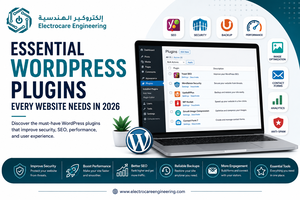
Essential WordPress Plugins Every Website Needs in 2026

WordPress plugins allow you to add features to your website without having to build everything from scratch. WordPress itself describes plugins as software that extends WordPress with additional functionality. There are thousands of plugins available, but installing too many can make website management unnecessarily complicated. The goal should be to choose reliable plugins that solve

Essential WordPress Plugins Every Website Needs in 2026 Read More »